Vocabulary quiz makerfor the word list you already have
Paste this week's words, select the ones to hide, and you have a vocabulary test that marks itself. Accept synonyms and spelling variants, add a hint per word, then share one link — or print the same test on paper.
- Free plan
- no card needed
- No account
- for students
- Marked
- the moment they submit
01The actual editor, not a mock-up
Edit a vocabulary test right here
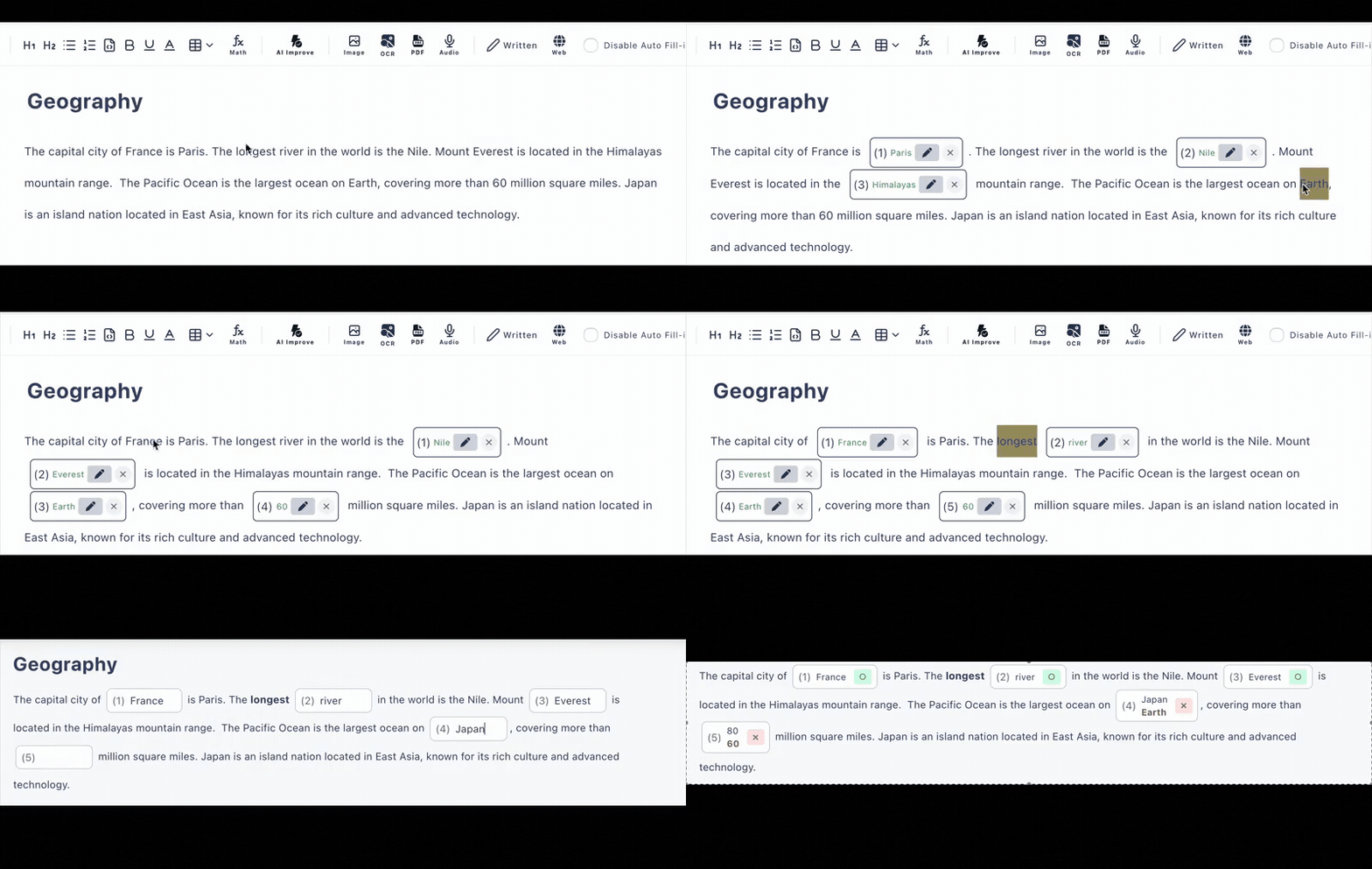
This is the same editor and the same marking engine you get after signing in — loaded with a sample word list. Select a definition to turn it into a blank, retype an answer, and watch the answer preview underneath react. Nothing is saved and no account is involved.
The demo runs with paid features switched on, so a sample question may offer four answer options. On the free plan a choice question holds three.
Drafting needs no login. Sign in when you want to save and share.
02From a word list to a marked test
How to make a vocabulary test from a list of words
Step 1
Bring the list in
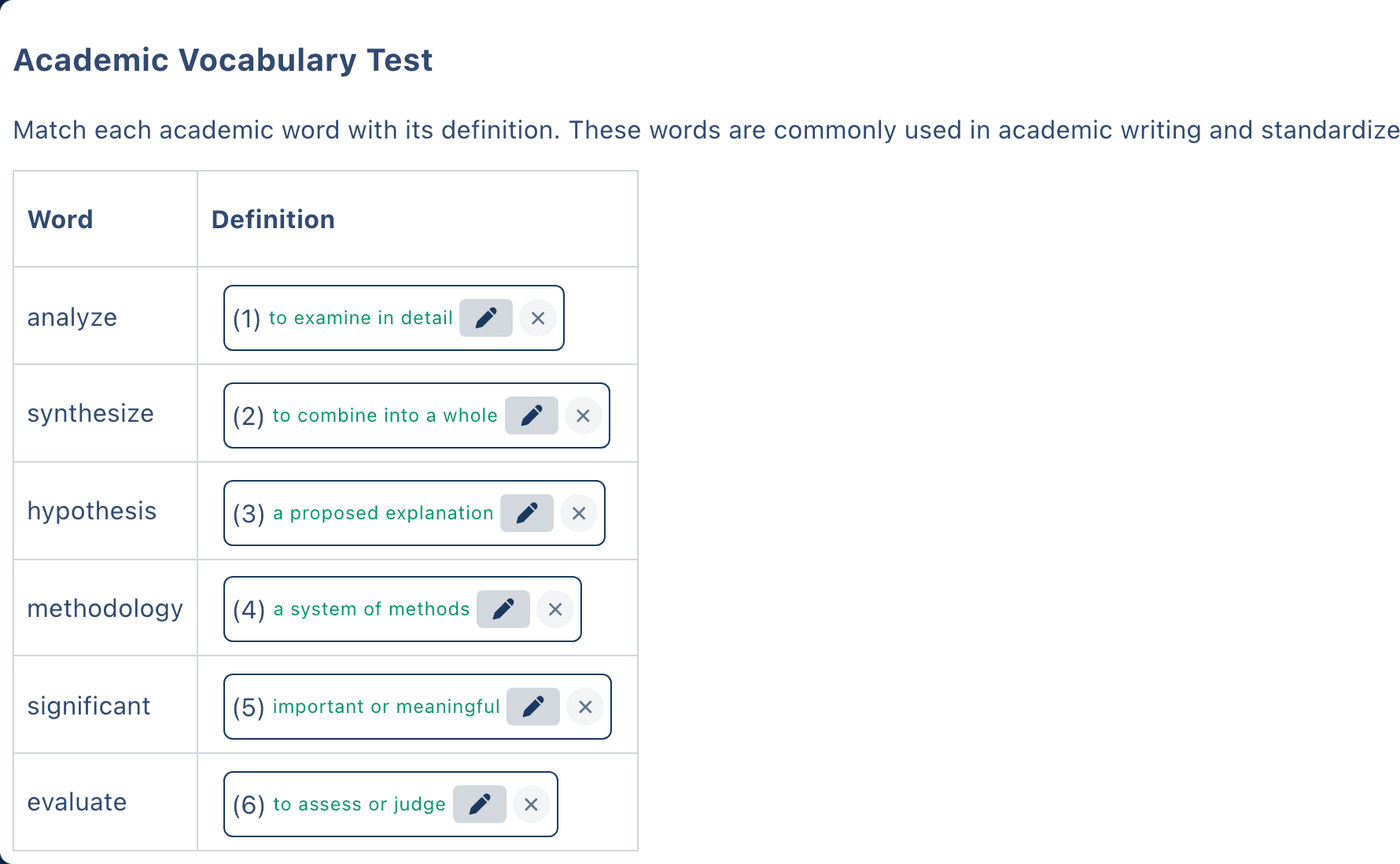
Paste the words straight from your lesson plan or a spreadsheet. A two-column table — word on the left, definition or example sentence on the right — is the layout most vocabulary tests end up using.
Step 2
Select what to hide
Select a word, a definition, or part of a sentence and it becomes a blank. Decide per blank whether it is typed or multiple choice, and list every answer you are willing to accept.
Step 3
Share it or print it
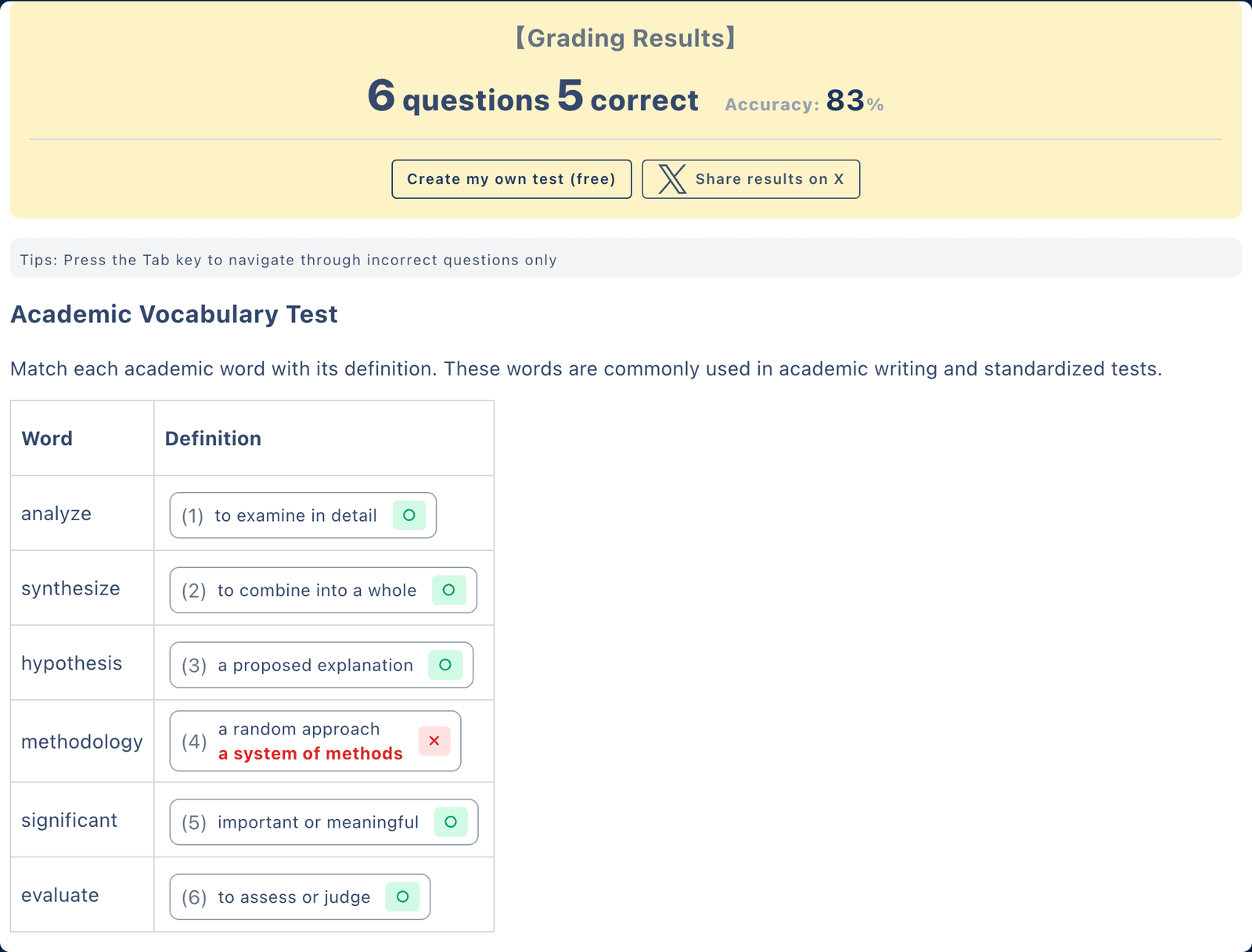
Send one link and answers are marked as they arrive, with the history kept per student. Or open the print preview and hand out the same test on paper.
What a vocabulary question ends up looking like
Typed answer, several accepted
The hikers were after walking all day.
Accepted: exhausted, tired, worn out · Hint: starts with “e”
Multiple choice
A word meaning the opposite of “generous” is .
Options: stingy / kind / wealthy
Both formats are marked automatically, and either can carry an explanation that appears once the student has answered.
03Marking
Words have variants. The answer key should too.
Most quiz makers store one string per blank, so a student who writes a perfectly good synonym gets a cross. That is the part of vocabulary testing worth getting right.
One-string answer keys
- A correct synonym scores zero
- “colour” fails because the key says “color”
- A capital letter is counted as a mistake, with no way to accept both
- Every word is retyped into a separate form field
Cloze Generator
- Several accepted answers per blank, so synonyms and spelling variants both count
- Case-insensitive matching for English answers (paid plan)
- A hint per word while answering, an explanation after it
- Words are selected in your own text instead of retyped
04Handing it out
Online, on paper, or both from the same test
A link students can open
Share the URL through a classroom, a chat, or an email. Students answer in the browser on a phone, tablet or laptop without creating an account, and the score appears as soon as they submit. The free plan keeps the 10 most recent answer records.
A printable worksheet
The editor has a Print button on desktop browsers. It opens a print preview with adjustable margins, and your browser's print dialog can save that preview as a PDF for a paper vocabulary test. No upgrade required.
05By subject
The same vocabulary test generator, pointed at your material
ESL and EFL classes
Gap-fill practice built around the words and grammar your lesson just covered.
IELTS and exam prep
Academic word lists with typed answers, so recall is tested rather than recognition.
Science terminology
Term-and-definition tables where spelling of technical words matters.
Medical terminology
Roots, prefixes and suffixes drilled with alternative answers for accepted variants.
Japanese and kanji
Readings and meanings tested as blanks inside real sentences.
Studying on your own
Make the test for yourself, retake it, and watch which words keep slipping.
06The free plan, stated plainly
What you get without paying
No credit card and no trial countdown. These are the limits you actually run into.
- 3 + 10
- private + public tests
- 30
- questions per test
- 6 / day
- AI question drafts
- 10
- answer records kept
Unlimited tests and questions, 4-or-more options per choice question, and a longer answer history are on the paid plan.
07Questions
Vocabulary quiz maker FAQ
- Is the vocabulary quiz maker free?
- Yes. The free plan needs no credit card and lets you keep 3 private tests and 10 public tests, with up to 30 questions in each one. AI question drafting is included at 6 runs per day.
- Can I build the quiz from a plain word list?
- Yes. Paste your list into the editor — a two-column table of words and definitions is the fastest layout — then select the cells you want hidden. Each selected cell becomes a blank with its own answer key.
- Can one blank accept more than one correct answer?
- Yes. A blank can hold several accepted answers on the free plan, so a synonym or a spelling variant such as "colour" next to "color" is still marked correct. Ignoring capitalisation altogether is a separate setting on the paid plan; on the free plan, list the capitalised form as one of the accepted answers instead.
- Can I make a multiple-choice vocabulary test instead of typed answers?
- Yes. Any blank can be typed or multiple choice. The free plan allows up to 3 options per choice question; 4 or more options is a paid-plan feature. AI can also draft the wrong options for a word you already have.
- How do students take the test?
- You share one URL. Students open it in any browser on a phone, tablet or computer with no account and no app, and typed and multiple-choice answers are marked the moment they submit.
- Can I print the vocabulary test or save it as a PDF?
- Yes. The editor has a Print button on desktop browsers that opens a print preview with adjustable margins, and your browser can save that preview as a PDF. It is available on the free plan.
- Can I add a hint or an explanation to each word?
- Yes. A question can carry a hint shown while answering — the first letter, a short definition, a word root — and an explanation revealed after the answer is submitted.