Cloze Activity Maker
Create Interactive Cloze Exercises Online
Build a cloze activity by clicking the words you want to hide—then share it as a link. Learners answer in any browser with no account needed, in type-in or multiple choice mode, with automatic grading and results tracking.
Free plan available · No credit card required
Three Example Cloze Activities You Could Build Today
Each of these takes a few minutes: paste the sentences, click the words shown as blanks, pick a mode, share the link.
ESL grammar — past simple
Yesterday, Maria ___ (go) to the market and ___ (buy) fresh tomatoes.
She ___ (not / take) the bus because the weather ___ (be) beautiful.
Blank the verb forms and accept "didn’t take" and "did not take" as alternative answers.
Science — water cycle
Water ___ from oceans and lakes when the sun heats it.
The vapor cools and ___ into clouds, then falls back as ___.
Type-in blanks for key terms (evaporates, condenses, precipitation), each with a first-letter hint.
History — multiple choice
The printing press was invented by ___ around 1440.
It spread rapidly across ___ within a few decades.
Switch these blanks to multiple choice and let AI generate the wrong answer options.
Cloze Exercises with More Than Plain Text
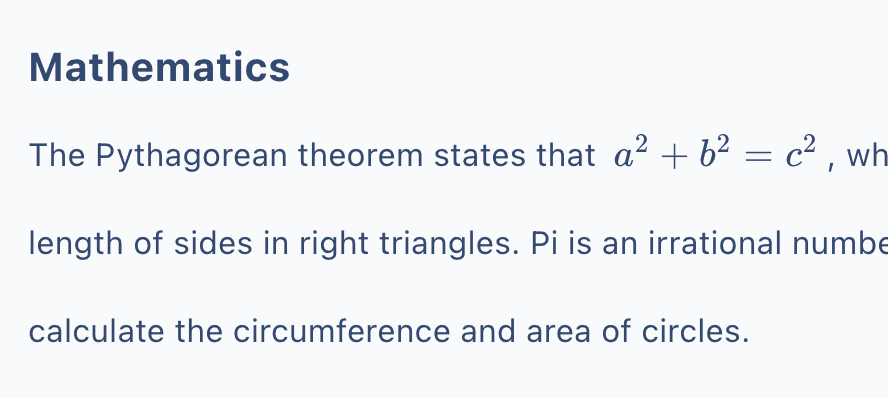
Real lessons aren't just sentences. A cloze activity in Cloze Generator can include images, audio clips, tables, code blocks, and math formulas (written in LaTeX)—so a listening gap-fill, a labeled-diagram recall, or a formula completion exercise all live in the same tool.
Add a hint to any blank, attach an explanation that appears after answering, and set per-question scores when some blanks matter more than others.
What Makes the Activity Interactive
Click-to-Blank Editing
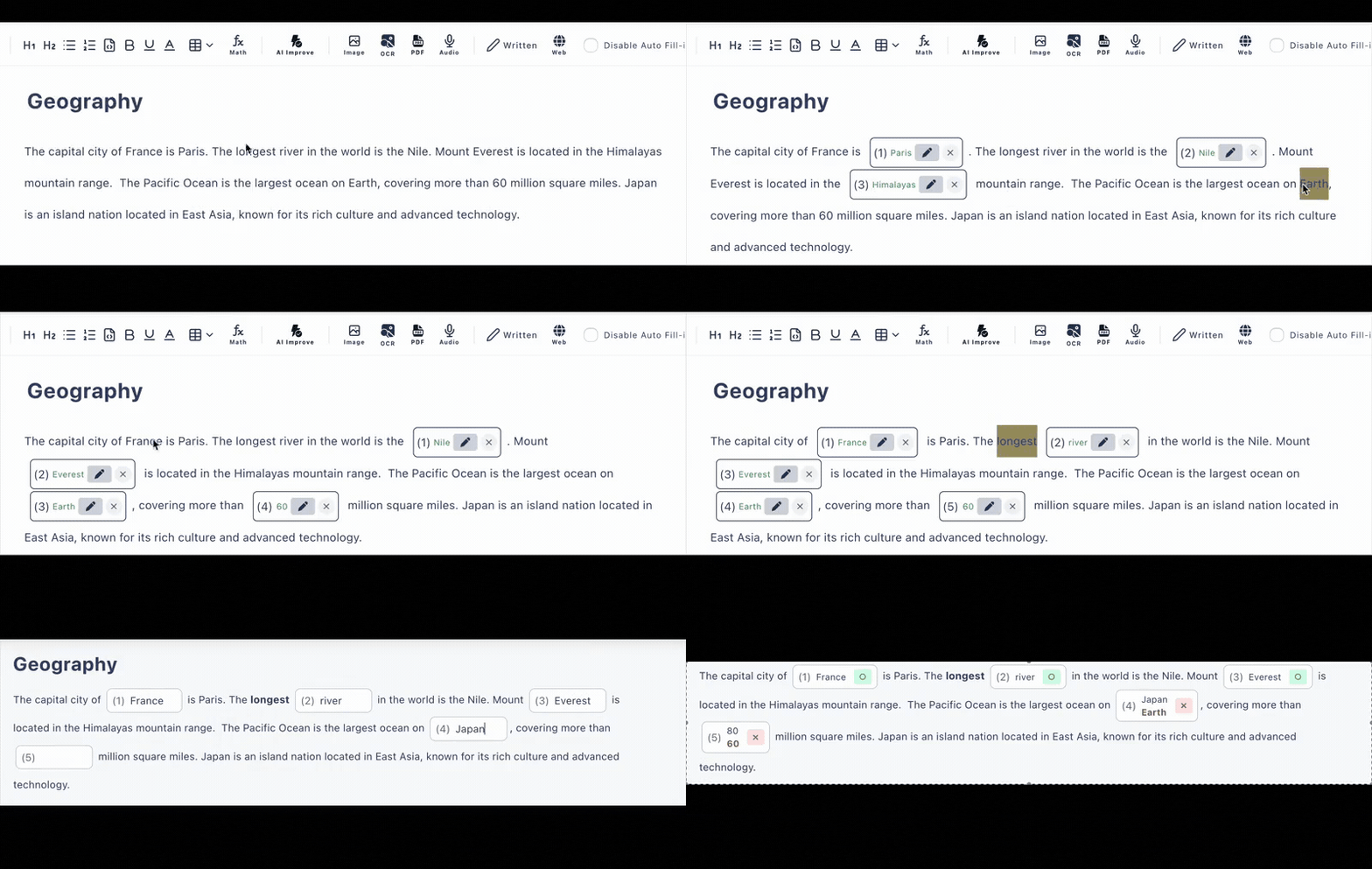
No special syntax, no curly braces. Click a word in your text and it becomes a blank—click again to change your mind.
Type-in AND Multiple Choice
Use typed blanks for recall, choice questions for recognition—or mix both in one cloze exercise.
No-Account Answering
Learners just open the link—on phones, tablets, or computers. Share it through Google Classroom, email, or any LMS.
Instant Grading
Typed and choice answers are scored on submission, with alternative accepted answers and case-insensitive matching for English.
Results Tracking
Answer history shows you who submitted what and how each blank performed, so the activity informs the next lesson.
AI Assistance
Generate a cloze activity from text, a PDF, or a photo, and let AI write wrong answer options for choice questions—included in the free plan.
One Maker, Many Kinds of Activities
Listening Cloze
Embed audio and have learners fill the words they hear
Math & Formulas
Blank parts of LaTeX formulas or the steps of a worked solution
Code Completion
Hide keywords in syntax-highlighted code blocks for programming drills
Image-Based Recall
Pair a diagram or chart with blanks about what it shows
Frequently Asked Questions
How do I make a cloze activity?
Paste or type your text into the editor, then click any word to turn it into a blank. Each blank can be a type-in answer or a multiple-choice question. When you are done, share the activity as a URL.
Do learners need an account to do the activity?
No. Learners open the link in any browser on a phone, tablet, or computer and start answering immediately—no accounts, no installs. Answers are graded automatically when they submit.
Can a cloze activity include more than plain text?
Yes. Activities can contain images, audio, tables, code blocks with syntax highlighting, and math formulas written in LaTeX, plus per-question hints and explanations.
Can I track how learners did?
Yes. Each activity records an answer history (latest 10 records on the free plan, 300 on the paid plan), and you can optionally require a name or login before answering on the paid plan.
Can I share it through Google Classroom?
You can share the activity link through Google Classroom, email, or any LMS—it is just a URL, so it works anywhere you can paste a link.
Is there a free plan?
Yes, with no credit card required: up to 3 private and 10 public activities, up to 30 questions each, and AI generation included (6 per day).