Coding Quiz Maker
with Real Code Blocks & Syntax Highlighting
Paste actual code, blank out the keyword, operator, or return value, and share an auto-graded quiz by URL. Built for bootcamps, study groups, and course homework.
Free plan available · No credit card required
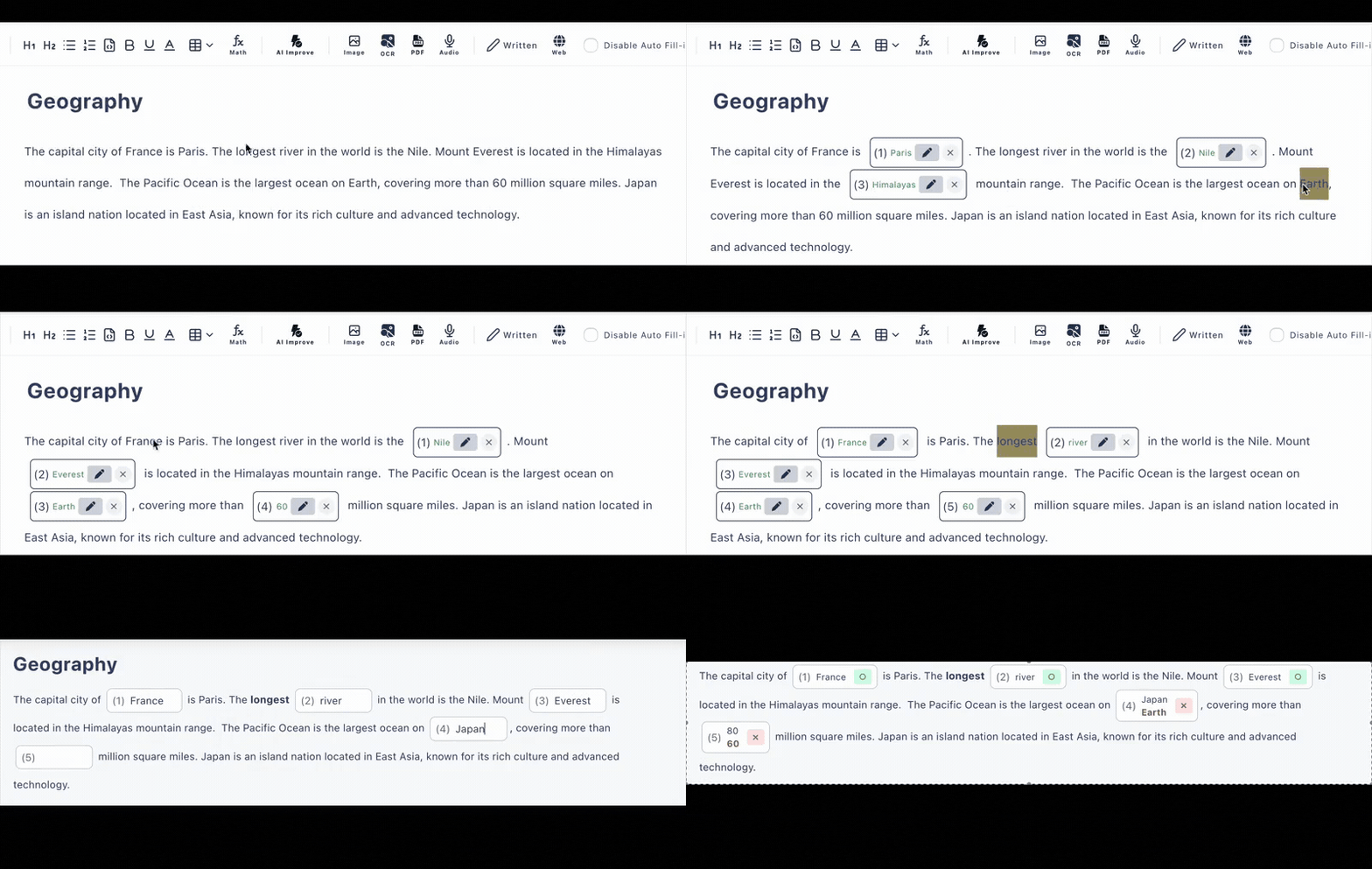
Programming Quizzes Need Real Code
Generic quiz builders mangle indentation and strip formatting, so instructors fall back on screenshots nobody can copy or read on a phone. Cloze Generator treats code as code: paste a snippet into a syntax-highlighted code block, then click the exact token you want learners to recall.
Paste the snippet
Drop Python, JavaScript, SQL, or any language into a code block. Indentation and syntax highlighting are preserved exactly.
Blank out the token
Click a keyword, an operator, a method name, or the expected output to turn it into a blank. Typed answer or multiple choice—your call.
Share & auto-grade
One URL, any device, no learner accounts. Answers are graded instantly, and you can review the answer history afterwards.
Two Question Patterns That Just Work
These two patterns cover most of what coding instructors quiz on—and both take under a minute to build with click-to-blank.
Pattern 1 · Predict the Output
Show a complete snippet and blank out what it prints. Learners must trace the code mentally—no running it. Great for loops, slicing, and type coercion gotchas.
Pattern 2 · Fill in the Missing Line
Blank out the keyword or expression that makes the function work. Add a hint ("starts with re") and an explanation that appears after answering.
Everything a Programming Quiz Generator Needs
Syntax Highlighting
Code blocks render with proper highlighting inside questions, so snippets stay readable on any screen.
Click-to-Blank Tokens
You choose exactly which token becomes the blank—keywords, operators, return values, or whole expressions.
Auto-Grading
Typed and multiple-choice answers are scored instantly. Accept alternative answers for equivalent syntax.
Hints & Explanations
Attach a hint per blank and an explanation that appears after answering—so a wrong guess still teaches something.
AI Quiz Generation
Paste lecture notes or upload a PDF and AI drafts fill-in-the-blank questions you can edit. Included in the free plan (6/day).
Share by URL
Post the link in Slack, Discord, your LMS, or course homework. Learners answer in the browser with no account.
Who Uses It
Bootcamps
Weekly recall checks on Python or JavaScript fundamentals
Study Groups
Members quiz each other on SQL joins or array methods
Course Homework
Auto-graded reading checks between lectures
Self-Study
Turn your own notes into predict-the-output drills
Frequently Asked Questions
Can I put real code snippets in the questions?
Yes. The editor supports code blocks with syntax highlighting, so you paste actual Python, JavaScript, SQL, or other code—no screenshots, no plain-text formatting loss.
How do I blank out part of the code?
Click the token you want to hide—a keyword, an operator, a function name, or a return value—and it becomes a blank. Learners type the missing piece or pick it from multiple choice.
Is the coding quiz graded automatically?
Yes. Typed answers and multiple-choice answers are scored instantly on submission. You can register alternative accepted answers (e.g. single vs. double quotes) and enable case-insensitive matching.
Do learners need an account to take the quiz?
No. You share the quiz as a URL and learners open it in any browser on a phone, tablet, or computer. No accounts, no installs—ideal for bootcamp cohorts and study groups.
Is it free?
There is a free plan with no credit card required: up to 3 private and 10 public quizzes with up to 30 questions each. AI test generation is also included in the free plan (6 per day).
Can it run or execute the code?
No—this is a quiz tool, not a code runner. It is built for recall and reading-comprehension questions: predict the output, fill in the missing line, name the keyword. Grading compares the typed answer against your accepted answers.