Bible Fill-in-the-Blank Quiz Maker
Blank Out Any Verse with One Click
Paste any verse or passage in your translation—KJV, NIV, ESV, or any other—click the words to hide, and share a memory verse quiz with your class by link. Typed answers are checked automatically.
Try with your own verse. No sign-up to create a draft; sign in to save and share. Free plan available—no credit card required.
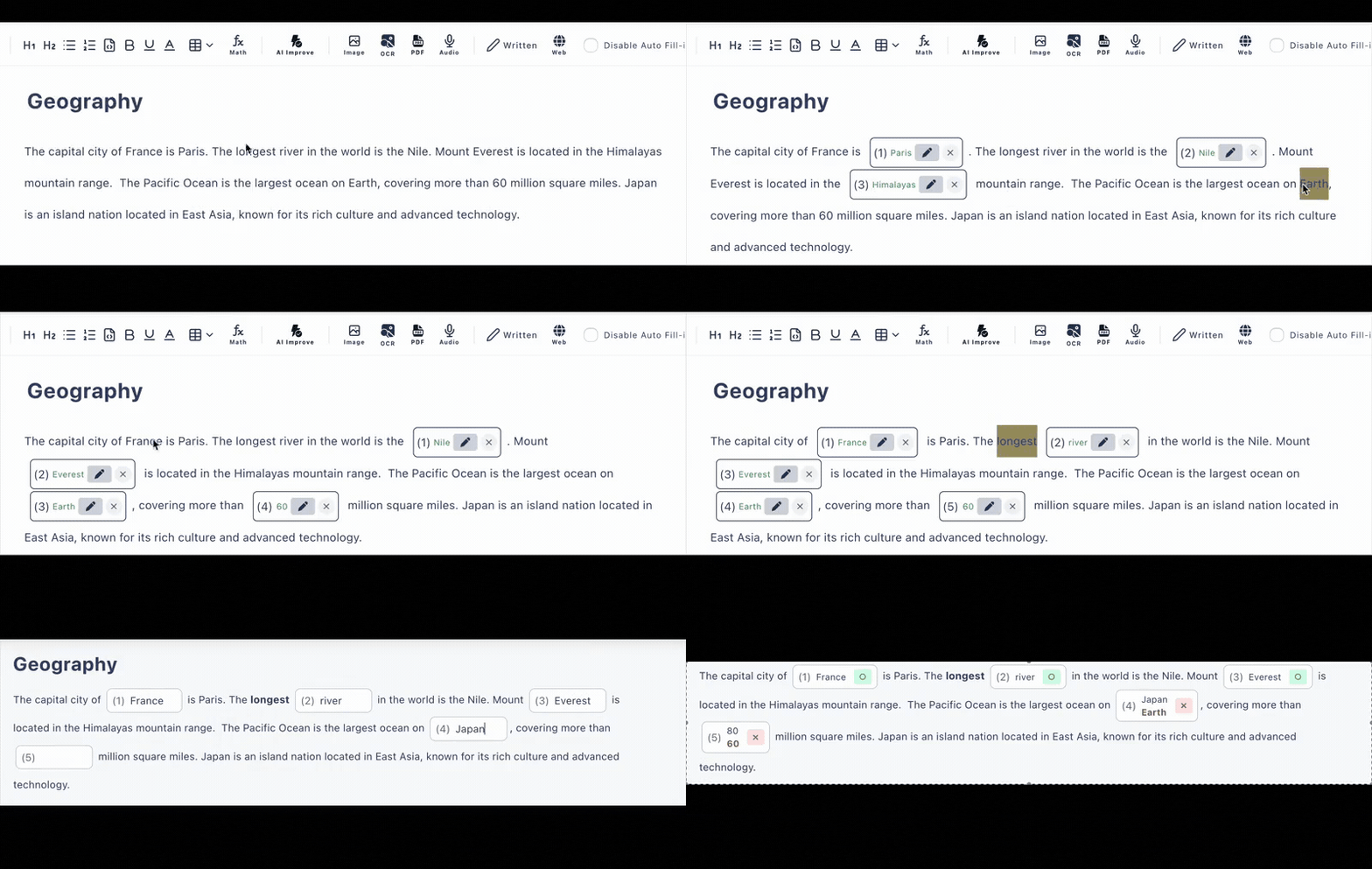
What a Memory Verse Quiz Looks Like
Here is John 3:16 (KJV) with five words blanked out. You choose every blank yourself—start easy with one or two, then blank out more each week as the verse takes root.
Memory verse · John 3:16 (KJV)
“For God so ___ the world, that he gave his only begotten ___, that whosoever ___ in him should not ___, but have everlasting ___.”
You paste the verse text yourself, so the quiz always matches the exact translation your class memorizes.
From Verse to Class Quiz in Three Steps
Paste your verse
Copy this week's memory verse—or a whole passage—from your own Bible app or text, in whichever translation your church uses.
Click words to blank
Click the key words—names, verbs, promises—and each becomes a blank. Add a first-letter hint or an explanation for each one if you like.
Share the link
Send the URL to your Sunday school class, youth group, or small group chat. Everyone answers on their own phone—no accounts needed.
Everything Scripture Memory Practice Needs
Click-to-Blank
You decide exactly which words to hide. Blank one word for beginners or nearly the whole verse for a final recitation check.
Your Translation
Because you paste the text, the quiz matches your church's translation word for word—KJV, NIV, ESV, or any other.
First-Letter Hints
Add a hint to any blank—like the first letter of the missing word—so younger kids can succeed while still recalling the verse.
Auto-Checked Answers
Typed answers are checked instantly on submit. Accept alternative spellings and turn on case-insensitive matching when capitalization shouldn't matter.
One Link for the Group
Share the verse quiz in your group chat or email. It works on phones, tablets, and computers, and no one has to create an account.
More Than Text
Add images or audio to a quiz, mix in multiple-choice questions about the passage, and include a message that appears before or after the quiz.
Verse Quizzes for Every Ministry
Sunday School
Weekly memory verse checks with first-letter hints for kids
Youth Group
Drop a verse quiz link in the group chat between meetings
Small Groups
Review the passage you studied with blanks on the key phrases
Family Devotions
Practice scripture memory together on the family tablet
Frequently Asked Questions
Which Bible translation does it use?
Whichever one you use. You paste the verse or passage yourself—KJV, NIV, ESV, or any other translation—so the quiz matches the exact wording your class is memorizing. The app does not bundle any scripture content.
Do my Sunday school students need accounts?
No. You share the verse quiz as a link, and your class opens it in any browser on a phone, tablet, or computer. No accounts, no app installs—just tap the link and start filling in the blanks.
How are answers checked?
Typed answers are checked automatically the moment a student submits. You can accept alternative answers (such as spelling variants) and enable case-insensitive matching, so "Shepherd" and "shepherd" both count.
Can I add hints for younger kids?
Yes. Each blank can have a hint—like the first letter of the missing word—and an explanation that appears after answering, which works well for younger children still learning the verse.
Is it free?
There is a free plan with no credit card required: up to 3 private and 10 public quizzes with up to 30 questions each. That covers a weekly memory verse for most Sunday school classes and small groups.
Can I quiz a whole passage, not just one verse?
Yes. Paste an entire passage or chapter section and click words throughout it to create blanks. You can mix typed blanks with multiple-choice questions in the same quiz.