Paste Your Text, Get a Shareable Quiz
Blanks, Multiple Choice, Written Answers
Turn any text—your notes, an article, a textbook chapter—into an online quiz with three question types. Share it with a link; answerers need no account, and grading happens automatically.
Try with your own text. No sign-up to create a draft; sign in to save and share. AI generation is available after signing in.
Not Just Multiple Choice
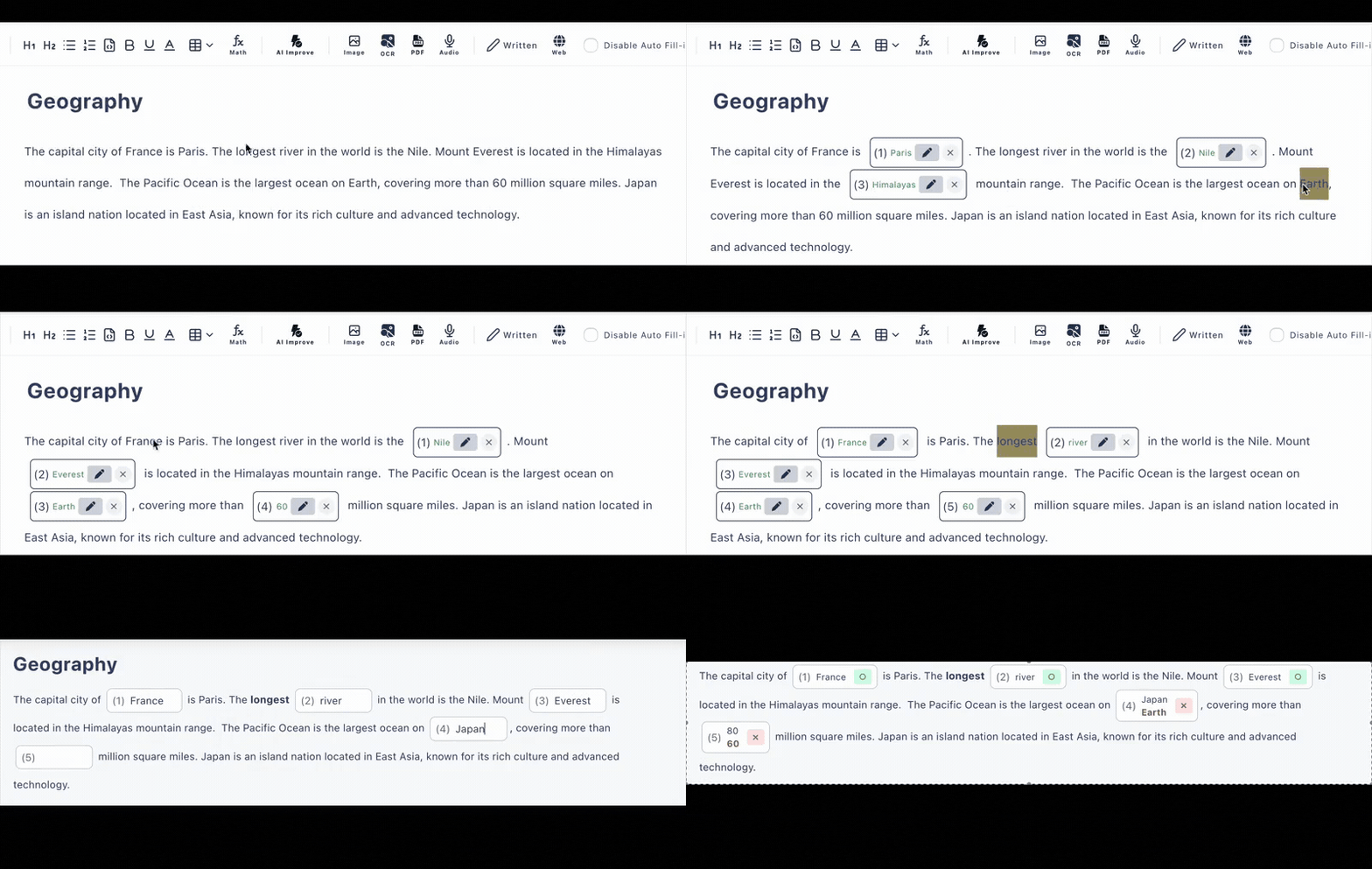
Many AI quiz tools only output multiple-choice questions. From your pasted text, Cloze Generator builds three question types—each graded the right way.
Fill-in-the-Blank
Click any word in your text to hide it. Answerers type the missing word and it's auto-graded instantly—with alternative accepted answers and optional case-insensitive matching for English.
Multiple Choice
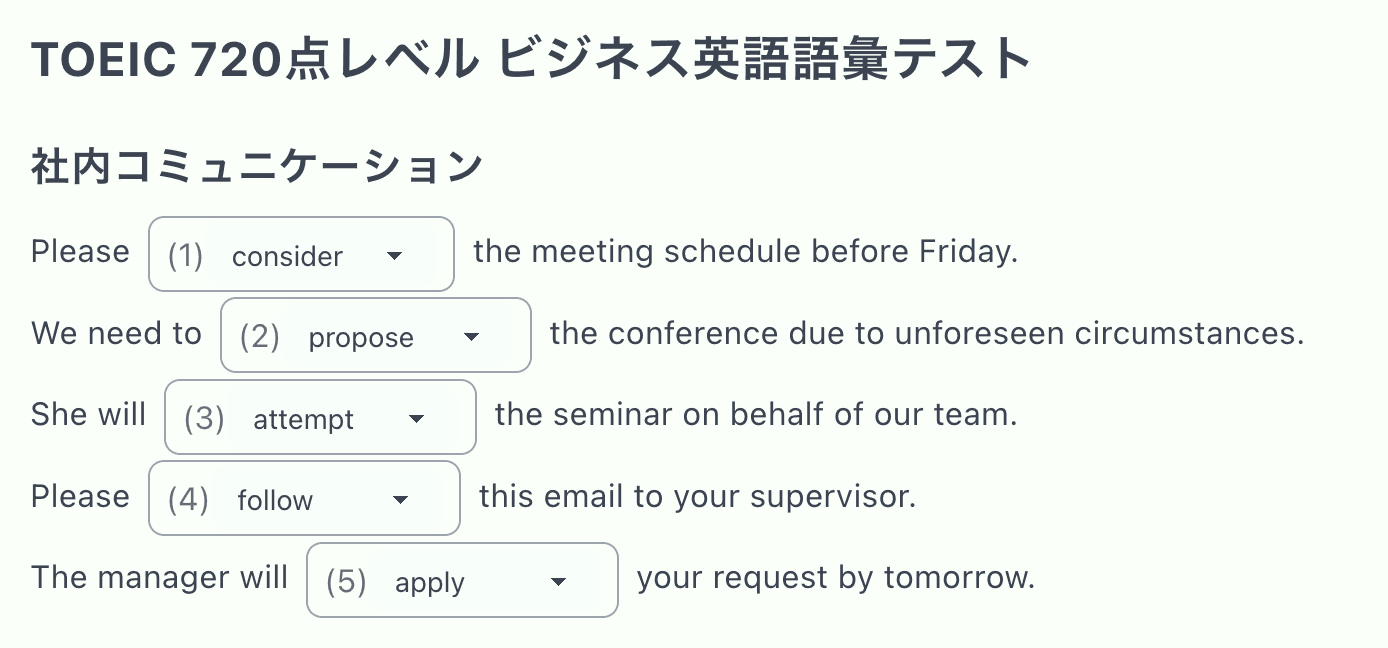
Convert any blank into a choice question—up to 3 options free, 4+ on the paid plan. AI can draft the wrong choices for you, and grading is automatic.
Written Answers
Ask open questions that need explanation, with a model answer shown for comparison—ideal for "explain why" questions that choices can't capture.
Editing Is Fully Free—And It's a Real Editor
AI generation is included in the free plan (6 per day, 10 per week), but the heart of the tool is the editor—and using it costs nothing and has no daily counter. Paste a textbook chapter, click words to blank them out, reorder questions, and reshape everything until it matches what you actually want to ask.
It's a rich editor, too: tables, images, audio, code blocks, and LaTeX math all work inside a quiz. A grammar quiz can embed listening audio; a programming quiz keeps its syntax highlighting; a physics quiz renders its formulas properly.
Add hints, explanations, and per-question scores, and the quiz you paste together reads like something you built by hand—because you did, just faster.
Share with a Link. Grading Handles Itself.
No Accounts for Answerers
Send one URL through Google Classroom, email, or any LMS. It opens in any browser on phones, tablets, and computers—no installs.
Instant Auto-Grading
Blanks and multiple-choice answers are scored on submission. Written answers display the model answer for review.
Answer History
See who answered and how (latest 10 records free, 300 paid). Optionally require a name or login on the paid plan.
Text That Turns into Quizzes
If you can paste it, you can quiz it—in any language.
Articles
Turn a news article into a reading comprehension check
Textbook Chapters
Blank out the key terms from this week's chapter
Your Own Notes
Paste study notes and quiz yourself with typed answers
Manuals & Policies
Onboarding docs become trackable comprehension quizzes
Frequently Asked Questions
How do I turn text into a quiz?
Paste your text—notes, an article, a textbook chapter—into the editor. Click words to turn them into blanks, convert questions to multiple choice, or add written-answer questions with a model answer. You can also let AI generate the quiz from your text (6 per day on the free plan). Then share the quiz as a link.
What question types are supported?
Three types: fill-in-the-blank with typed answers, multiple choice (up to 3 options on the free plan, 4+ on paid), and written/free-answer questions with a model answer. Blanks and choices are auto-graded instantly.
Is the quiz generator free?
A free plan is available with no credit card required. Editing is fully free and unlimited—clicking words to create blanks never costs anything. AI generation is included at 6 per day (10 per week); the paid plan raises it to 20 per day.
Do quiz takers need an account?
No. You share one URL and answerers open it in any browser on a phone, tablet, or computer. No accounts, no app installs, and results are graded the moment they submit.
Can the quiz include more than plain text?
Yes. The editor supports tables, images, audio, code blocks with syntax highlighting, and math formulas in LaTeX—so quizzes from technical articles or science chapters keep their formatting.
Does it work with text in other languages?
Yes. You can paste and quiz text in any language, including Spanish, Chinese, and Japanese. The app interface itself is in English.