The Best Worksheet Maker
for Teachers
Create cloze tests and gap fill worksheets in minutes, not hours. Share via URL, get instant scores, and focus on what matters—teaching.
No credit card required
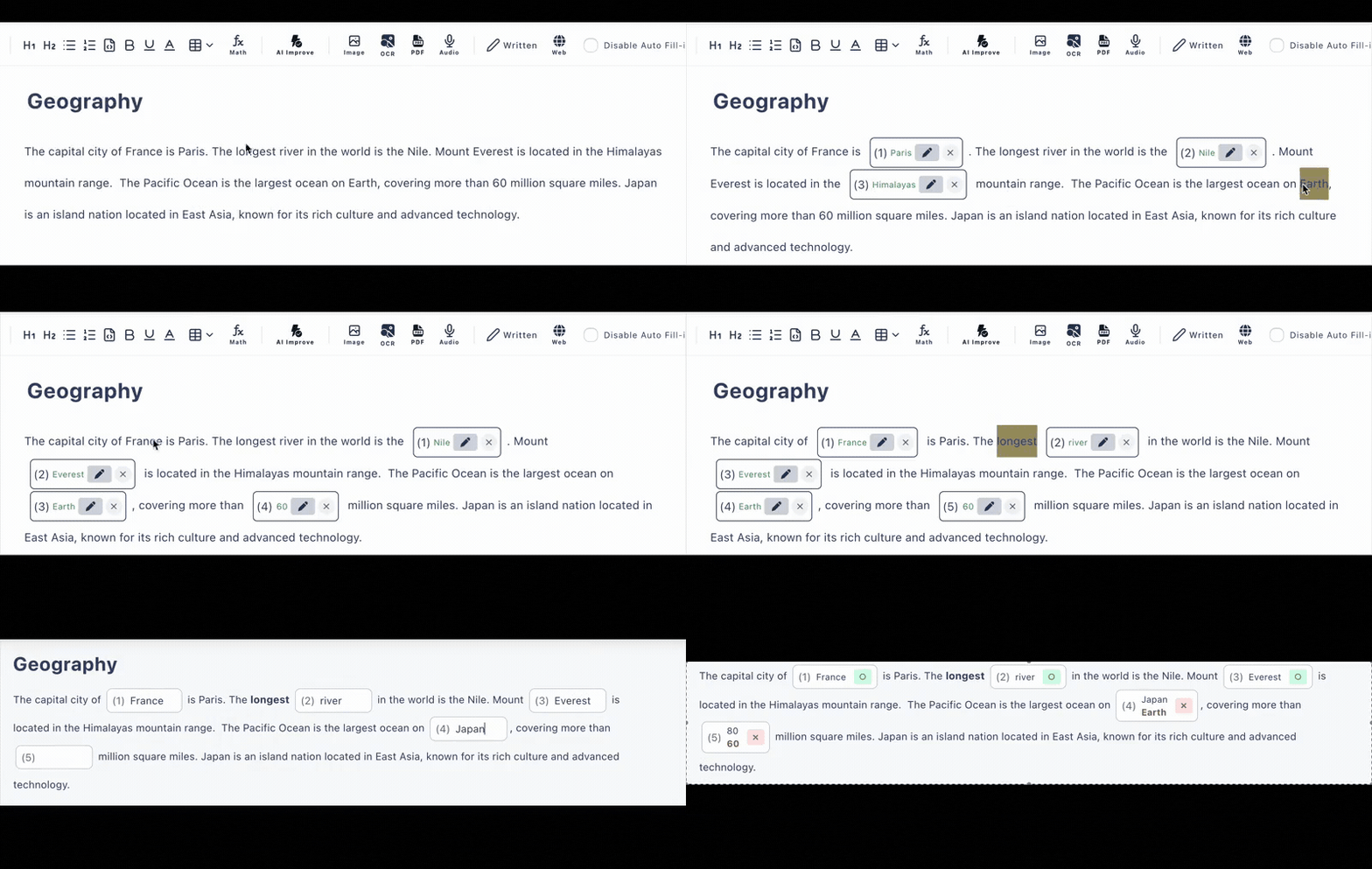
Stop Wasting Hours on Test Creation
Traditional worksheet creation is tedious. Cloze Generator changes everything.
❌ The Old Way
- •Manually typing questions in Word or Google Docs
- •Printing, collecting, and grading papers by hand
- •No easy way to track student progress
- •Hours spent on administrative tasks
✅ With Cloze Generator
- •Click words to create blanks—done in minutes
- •Share URL, students answer on any device
- •Instant auto-scoring with detailed analytics
- •More time for actual teaching
Everything Teachers Need
Built specifically for classroom use, from K-12 to higher education.
Instant Creation
Paste any text, click words to hide them, done. No formatting, no templates, no learning curve.
Auto-Scoring
Grades fill-in-the-blank and multiple choice instantly. View individual and class-wide analytics.
Easy Sharing
Share via URL. Works with Google Classroom, email, LMS, or any platform. No student accounts needed.
Any Device
Students can take tests on phones, tablets, or computers. Perfect for in-class or homework.
AI Generation
Upload PDFs or describe topics. AI creates complete tests with questions and answer choices.
Name Tracking (Paid Plan)
Require student names or login, then see who answered what and track individual progress over time.
Perfect for Any Subject
Teachers across all subjects use Cloze Generator daily.
Language Arts
Vocabulary, grammar, reading comprehension
Mathematics
Formulas, definitions, problem-solving steps
Science
Terminology, processes, scientific concepts
Social Studies
History facts, geography, civics
Frequently Asked Questions
Is this really free for teachers?
Yes! The free plan includes up to 10 public tests and 3 private tests with auto-scoring. No credit card required to start.
Can I use it with Google Classroom?
Absolutely. Simply copy the test URL and share it through Google Classroom, email, or any LMS. Students can access tests on any device without installing anything.
How does auto-scoring work?
When students submit their answers, the system instantly grades fill-in-the-blank and multiple-choice questions. You can view scores, answer history, and analytics in your dashboard.
Can students take tests on their phones?
Yes, tests are fully responsive and work perfectly on smartphones, tablets, and computers. No app download needed.
How long does it take to create a test?
Most teachers create their first test in under 5 minutes. With AI generation, you can create comprehensive tests in seconds.