Fill in the Blank Quiz Maker
Auto-Graded, No Student Accounts
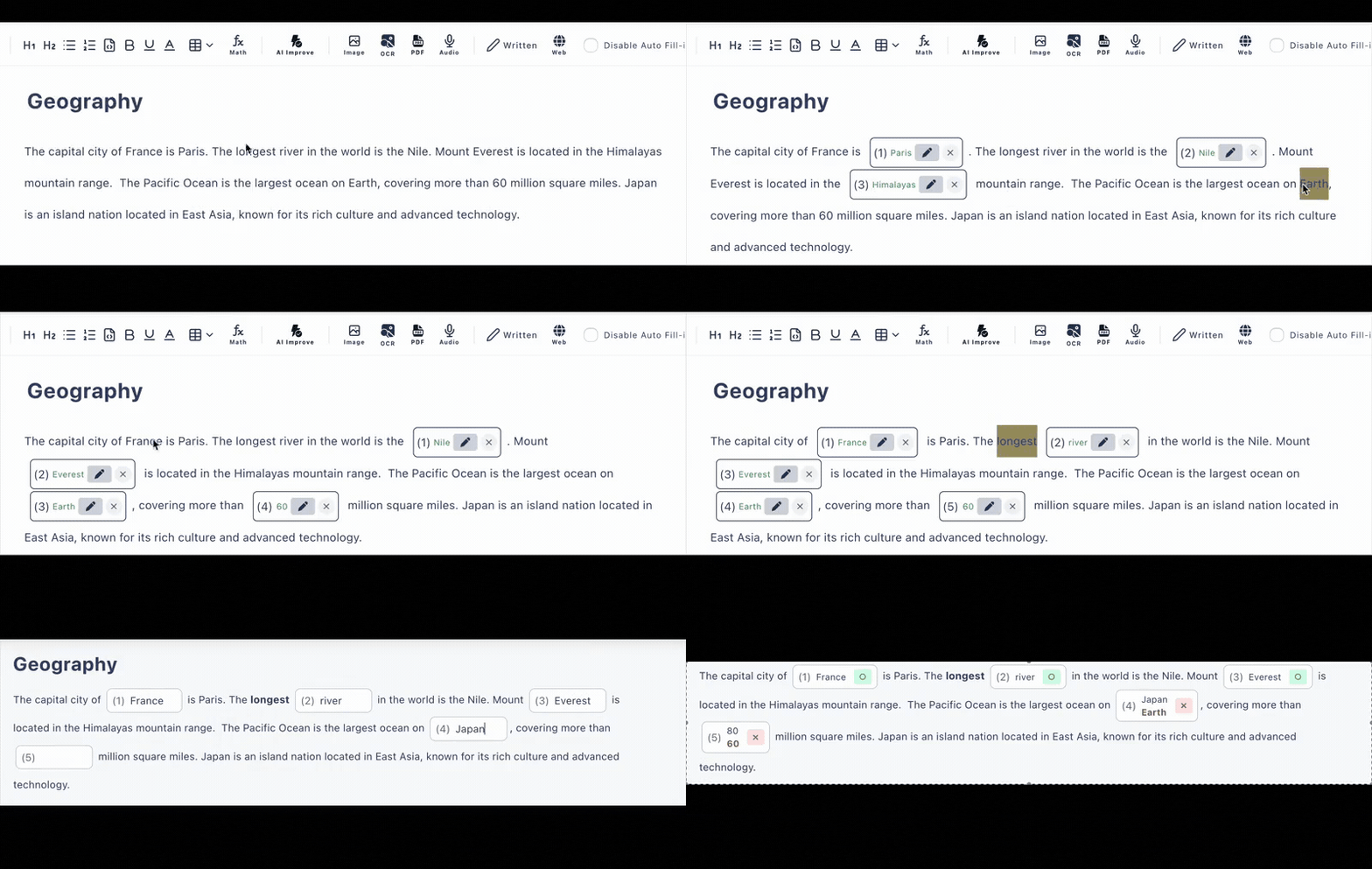
Make a quiz by clicking the words you want to turn into missing words. Students open a link and start answering—no logins, no installs—and every quiz is auto scored on submission.
Free plan available · No credit card required
The Quiz Should Be the Hard Part—Not Getting Into It
Quiz practice falls apart when half the class is stuck resetting passwords. Cloze Generator removes every step between “here's the link” and the first answer.
🚧 Quiz tools with logins
- •Students create accounts before they can answer
- •Forgotten passwords eat into practice time
- •App installs that don't work on every device
- •Writing every wrong answer choice by hand
🪶 Cloze Generator
- •One URL—open in any browser and start answering
- •No accounts or installs for quiz takers, ever
- •Auto scored answers, with results you can track
- •AI writes plausible distractors for choice questions
Typed Answers or Multiple Choice—Your Call per Question
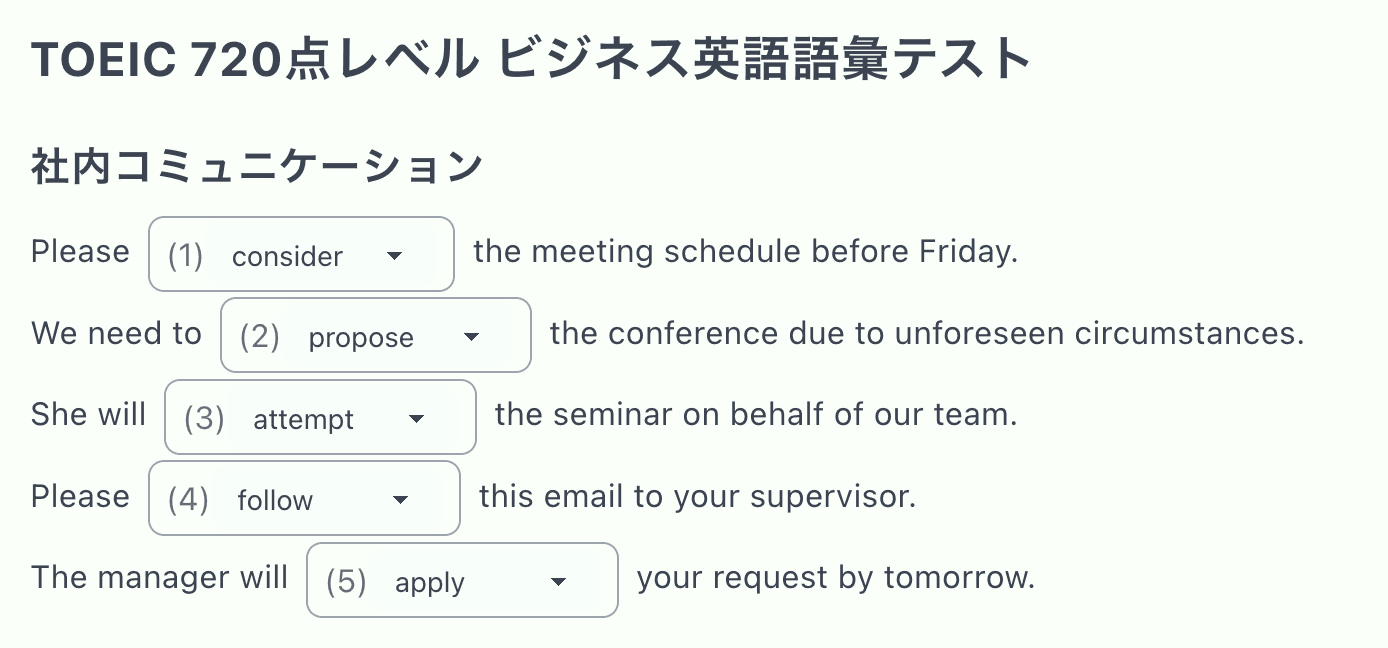
Every missing word in your quiz can be a typed answer for harder recall practice, or a multiple-choice question for faster classroom rounds. Switch a blank between modes in a click.
For choice questions, AI distractor generation suggests believable wrong options based on the correct answer, so building a clean question takes seconds. The free plan supports up to 3 choices per question; the paid plan unlocks 4 or more.
A Quiz Maker That Stays Out of Your Way
Click Any Word to Blank It
Paste your text and click the words to hide. You control exactly which missing words the quiz tests— no random deletion.
Multiple Correct Answers
Accept several answers per blank—synonyms, alternate spellings, contractions—so students aren't marked wrong on a technicality.
AI Quiz Generation
Out of prep time? AI builds a quiz from pasted text, a PDF, or a photo of your material—included in the free plan (6 per day).
Track Results
Submissions land in your answer history so you can see how the quiz went and what tripped students up.
Hints & Explanations
Give each question a hint and an after-answer explanation, turning quiz practice into a feedback loop, not just a score.
Works on Every Device
Phones, tablets, school laptops—if it has a browser, it can take the quiz. Share the link through Google Classroom, email, or any LMS.
Quick Quizzes for Everyday Practice
Built for the low-stakes, high-frequency quizzing that actually builds retention.
Warm-Up Quizzes
Post a link as students walk in and review yesterday's lesson in five minutes
Homework Checks
Auto scored missing-word quizzes that confirm the reading actually happened
Vocabulary Drills
Blank out target words in real sentences instead of isolated word lists
Exam Review
Reuse the same quiz link across review sessions and track results over time
Frequently Asked Questions
Do my students need accounts to take a quiz?
No. You share the quiz as a URL and anyone with the link can answer in their browser—on a phone, tablet, or computer. No student accounts, no app installs, no sign-up screens before the first question.
Is the quiz maker free?
There is a free plan with no credit card required: up to 3 private quizzes and 10 public quizzes, with up to 30 questions each. AI quiz generation is included on the free plan (6 per day).
How are quizzes scored?
Fill-in-the-blank and multiple-choice answers are auto scored the moment a student submits. You can review submissions in the answer history (latest 10 records on the free plan, 300 on the paid plan).
What if a blank has more than one acceptable answer?
You can register multiple correct answers and alternative accepted answers per blank—useful for synonyms, contractions, or spelling variants. Case-insensitive matching is available for English.
Can the quiz maker generate wrong answer choices for me?
Yes. For multiple-choice questions, AI can generate plausible distractors so you do not have to invent wrong options yourself (3 per day on the free plan, 30 per day on the paid plan).