Photo & Image to Quiz
Snap a Textbook Page, Get an Auto-Graded Online Test
Take a photo of a textbook page, worksheet, or handwritten notes. AI extracts the text with OCR and builds quiz questions—then delivers a shareable, auto-graded online test, not just a wall of extracted text.
Free plan available · No credit card required
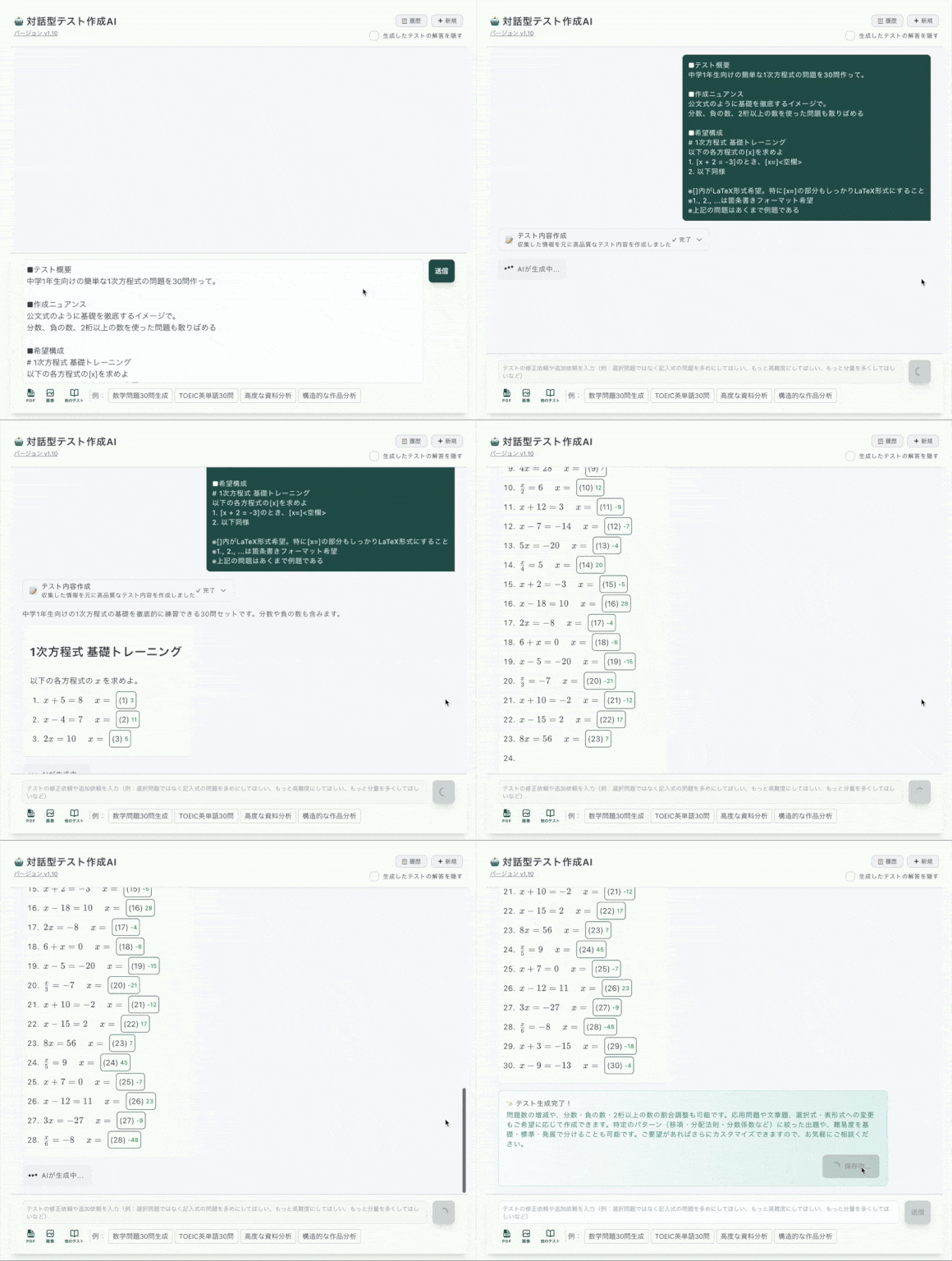
Other Tools Extract Text. This One Delivers a Test.
Most image-to-quiz tools stop after OCR: you get raw question text and you are on your own. Cloze Generator carries the photo all the way to a link your students can answer.
📄 OCR-only tools
- •Output stops at extracted question text
- •OCR mistakes? Copy everything into another app to fix
- •Tables and math formulas get mangled with no way to rebuild them
- •No grading, no sharing, no results
✅ Cloze Generator
- •Photo becomes a complete, shareable online quiz
- •Rich editor to fix OCR mistakes in place
- •Rebuild tables and write math in LaTeX—great for photographed math and science pages
- •Auto-grading and answer history included
From Photo to Quiz in 4 Steps
Snap a photo
A textbook page, a worksheet, a whiteboard, or your handwritten notes—straight from your phone.
AI extracts & generates
OCR reads the text, then AI turns it into fill-in-the-blank and multiple-choice questions.
Fix & polish
Correct any OCR slips in the rich editor. Add tables, images, LaTeX math, hints, and explanations.
Share the link
Answerers open it on any device—no account needed—and get instant auto-graded results.
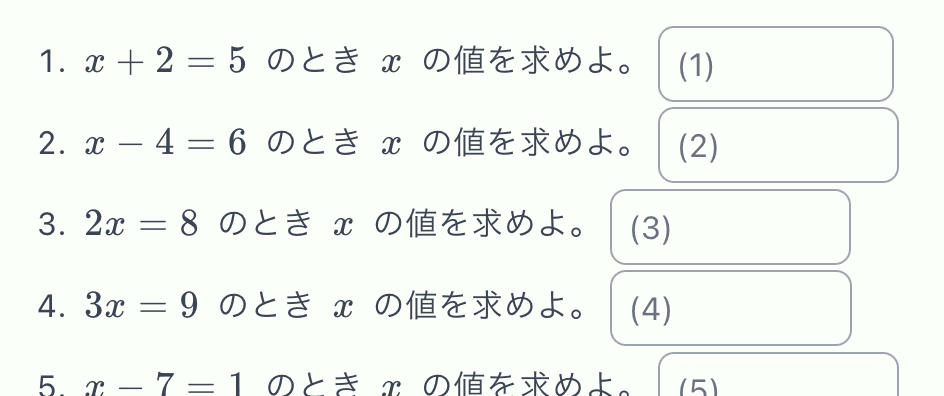
Photographed Math? The Editor Speaks LaTeX
Formulas are where OCR tools usually give up. In Cloze Generator you can rewrite any garbled formula as LaTeX, and it renders cleanly in both the editing and answering screens—so math and science photos still become real quizzes.
Clear, Honest Limits
No surprise paywalls mid-workflow. Here is exactly what the free plan includes for photo-based quizzes.
| Feature | Free | Paid |
|---|---|---|
| Image OCR extraction | 3 / day | 20 / day |
| AI test generation | 6 / day (10 / week) | 20 / day (50 / week) |
| Editing the resulting quiz | Uses no credits | Uses no credits |
What People Photograph
Textbook Pages
Turn tonight's reading into a comprehension quiz
Handwritten Notes
Lecture notes become self-quizzes for exam review
Paper Worksheets
Convert a worksheet to a quiz that grades itself online
Math & Science Material
Fix formulas as LaTeX and keep tables intact
Frequently Asked Questions
How do I turn a photo into a quiz?
Snap a photo of a textbook page, worksheet, or your handwritten notes and upload it. AI extracts the text with OCR and generates quiz questions from it. You review the draft in the editor, fix anything the OCR misread, and share the quiz as a URL.
Is photo-to-quiz free?
There is a free plan with no credit card required. Image OCR extraction is available 3 times per day on the free plan and 20 times per day on the paid plan. AI test generation is 6 per day free (10 per week).
What if the OCR misreads my photo?
You can fix everything in the editor. Unlike tools that only output extracted text, Cloze Generator gives you a full rich editor—correct words, rebuild tables, and even write math formulas in LaTeX for photographed math or science material.
Does it work with handwritten notes?
You can upload photos of handwritten notes and AI will attempt to extract the text. Results depend on handwriting clarity, which is exactly why the editor lets you correct any extraction mistakes before sharing.
How do students take the quiz?
You share a link. Students open it in any browser on a phone, tablet, or computer—no accounts and no app installs. Fill-in-the-blank and multiple-choice answers are auto-graded instantly on submission.