Grammar Quiz Generator
Turn Any Text into a Grammar Test
Grammar is learned in context—and cloze is the exercise format built for it. Paste a text, blank out the verb tenses, prepositions, articles, or conjugations you are teaching, and share an auto-graded quiz in minutes.
Free plan available · No credit card required
A Quiz for Every Grammar Point
Whatever you are teaching this week, the recipe is the same: blank out the words that carry the rule.
Verb Tenses
Yesterday she [ ___ ] to the market before it [ ___ ].
Blank the verbs and add the base form as a hint. Students must choose the tense, not guess the word.
Prepositions
The meeting is [ ___ ] Monday [ ___ ] nine o'clock.
Preposition exercises are the classic cloze use case—one blank per preposition, instantly graded.
Articles
He bought [ ___ ] umbrella because [ ___ ] forecast predicted rain.
Articles practice from real sentences. Accept alternative answers where both "a" and "the" can fit.
Conjugation
Nosotros [ ___ ] (vivir) en Madrid desde 2020.
Works in any language: blank the conjugated form, keep the infinitive visible as the hint.
Why Fill-in-the-Blank Beats Multiple-Guess for Grammar
A grammar exercise generator should make students produce the correct form, not just recognize it. Cloze questions do exactly that—and you can still switch any question to multiple choice when recognition is the goal.
Production, Not Recognition
Typing "had finished" into a blank requires real command of the past perfect. Use typed blanks for production practice and multiple choice for quick diagnostics.
Grammar in Context
Rules tested inside a connected text—not isolated drill sentences—force students to read the surrounding clues that real grammar decisions depend on.
The Rule, Right There
Attach an explanation to each question—"use the past perfect for the earlier of two past actions"—shown after answering, when students are most receptive.
Two Ways to Build: Click or Generate
Keep full manual control over every blank, or let AI draft the quiz and edit from there.
Click-to-Blank Editor
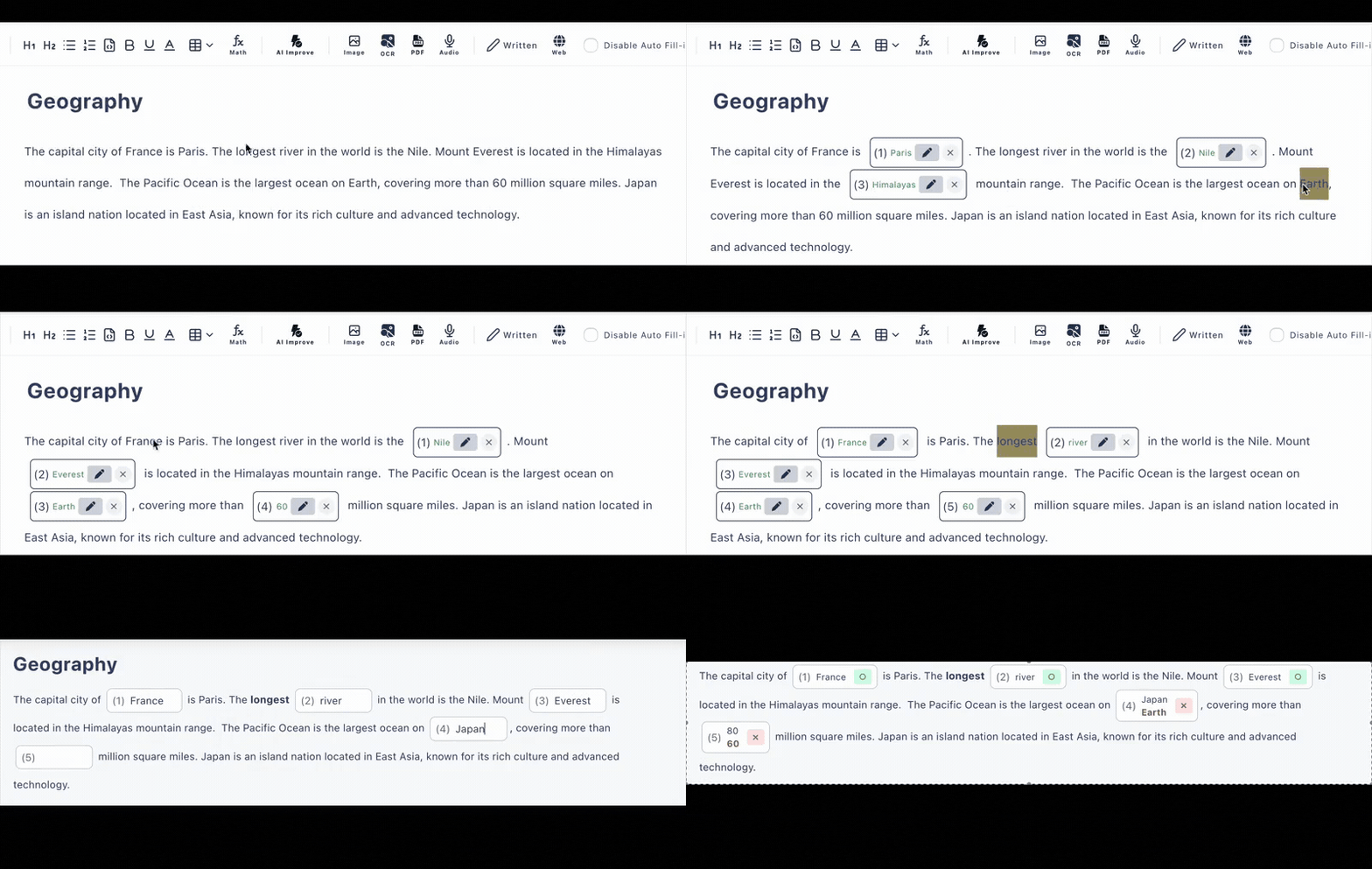
Paste your text and click exactly the words that carry the grammar point. Nothing random, nothing off-target.
AI Quiz Generation
Generate a grammar quiz from pasted text, an uploaded PDF, or a photo of a textbook page. Free plan includes 6 AI generations per day.
Any Language
English tenses, Spanish conjugation, French articles, Japanese particles—your quiz text can be in any language.
Fair Auto-Grading
Accept alternative answers when two forms are both correct, and turn on case-insensitive matching for English answers.
Share by Link
Students take the test in any browser on any device—no accounts, no installs. Paste the link into Google Classroom, email, or any LMS.
See the Weak Spots
Answer history shows which blanks the class got wrong, so you know whether to reteach the rule or move on.
Frequently Asked Questions
Is the grammar quiz generator free?
Yes, there is a free plan with no credit card required. You can create up to 3 private and 10 public quizzes with up to 30 questions each, and AI quiz generation is included (6 per day on the free plan).
How do I turn a text into a grammar quiz?
Paste any text and click the words that carry the grammar point—verbs, prepositions, articles—to turn them into blanks. You can also let AI generate the quiz from your text, a PDF, or a photo.
Can the quiz explain the grammar rule after answering?
Yes. Every question can have a hint shown before answering and an explanation shown after, so you can state the rule right where the student just applied it.
Is it only for English grammar?
No. The quiz text can be in any language—Spanish conjugations, French articles, German cases, Japanese particles. The app interface is in English, but your questions are not limited to English.
Do students need accounts to take the quiz?
No. Share the quiz URL and students answer in any browser on a phone, tablet, or computer. Typed and multiple-choice answers are auto-graded the moment they submit.
Can I accept more than one correct answer?
Yes. Each blank can accept alternative answers—useful when more than one tense or wording is grammatically correct—and case-insensitive matching is available for English.